 Fly
FlySteps
Choose one search
Write down the search a customer types to find a business like yours. Start with your main service; check others one by one later.
Open the free checker
Open Fly’s local rank checker at fly-social.com/tools/local-rank-check. The first 3 checks on a device need no sign-up.
Pick your business
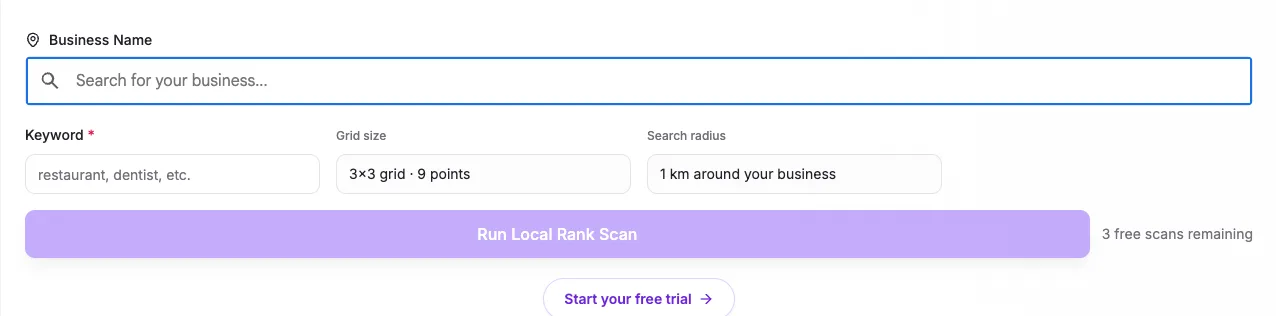
Type your business name in Business Name and pick it from the Google results the checker shows, so it reads your own profile and not a namesake.
Enter the search and run it
Type the search from step 1 in Keyword and select Run Local Rank Scan. The checker searches Google Maps from 9 points, a 3 by 3 grid spread 1 km around your business.
Read the grid
Each point shows where you appear for someone searching from there: 1 is the top, and 20+ means you were not in the first 20 results at that point. Your local rank is the pattern across the grid, not one number.
Check again after a change
Run the same search again a few weeks after you change categories, services or posts, and compare the two grids point by point.

If you do not see it
- Your business is not in the checker’s results. Type the name exactly as it appears on Google, with the area. A profile that is not verified, or not yet showing on Google Maps, cannot be checked.
- 20+ at every point. Google does not connect your profile with that search yet. Check that your categories and services use the words people search with, and try a broader search.
What Fly does here
Fly reads rank every week
Once your profile’s basics are in place, Fly reads your rank every week, on Tuesday by default, on a 3 by 3 grid of points around your business: your top three searches every week and the others every four weeks. Each reading is dated in your weekly report, so you see the trend, not a single search from your own phone. Read what else Fly does on the GBP Growth Agent page.
14 days free on one location, no card. Then Rs 2,499 plus 18% GST or $24.99 a location a month.
Questions
How can I check my Google ranking?
Google shows no rank number for a business profile. Search for your keyword from several places around the business, or use a grid checker such as Fly’s free local rank checker, which searches from 9 points and shows your position at each.
How do I rank in Google Maps?
Google says local results depend on relevance (how well your profile matches the search), distance (how far you are from the searcher) and prominence (how well known the business is). A complete, accurate profile, reviews and replies, and regular posts help the first and the last.
Can I pay Google to rank higher?
No. Google says there is no way to request or pay for a better local ranking. Ads can appear above the results, labelled as ads, but they do not change your ranking.
Source: Google's help, Tips to improve your local ranking on Google.